How to View and Create Exercises
Create your own custom exercises using the My Exercise tool.
You can add exercises by going to My Exercises in the side menu, or by tapping the + button at the top of Builder.
If you add an exercise through Builder, it automatically adds the new exercise to the workout you are building.
Create an Exercise
Tap the Add button in My Exercises.
Tap the image area to add a picture.
No valid Data Center license found
Please go to Atlassian Marketplace to purchase or evaluate Refined Toolkit for Confluence Data Center.Please read this document to get more information about the newly released Data Center version.
You can add a tip and a video URL. The video URL entered must reference a video that is playable on mobile or web.
You can also assign Body Part, Category, and Equipment to the exercise so it can be searched using the filters in Builder.
Edit an Exercise
To edit an exercise that already exists in My Exercises:
Select an exercise from the list.
Make any desired changes.
Tap Save
No valid Data Center license found
Please go to Atlassian Marketplace to purchase or evaluate Refined Toolkit for Confluence Data Center.Please read this document to get more information about the newly released Data Center version.
You may also edit a custom exercise from the Builder. When using the Builder to create a workout:
Tap one of your exercises
Tap the Edit button.
Tap Save
No valid Data Center license found
Please go to Atlassian Marketplace to purchase or evaluate Refined Toolkit for Confluence Data Center.Please read this document to get more information about the newly released Data Center version.
After changes have been saved, you are brought back to the Builder where you left off.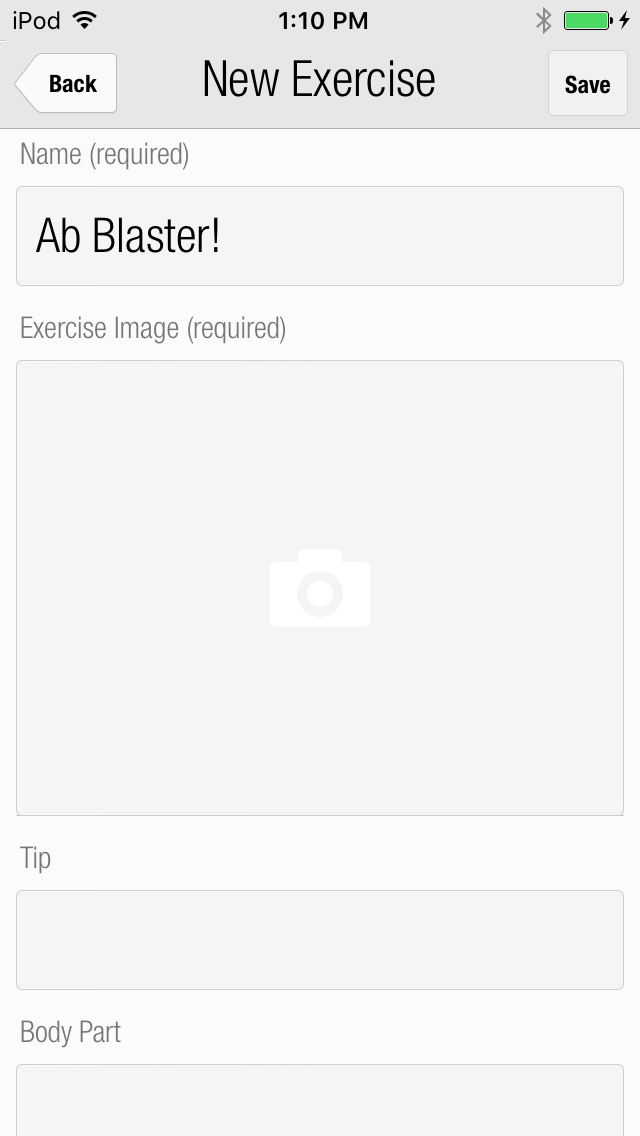
| Issue Date | May 7, 2019 |
| Revision Date | Nov 12, 2019 |
| Role Responsible |