How to Share a Workout
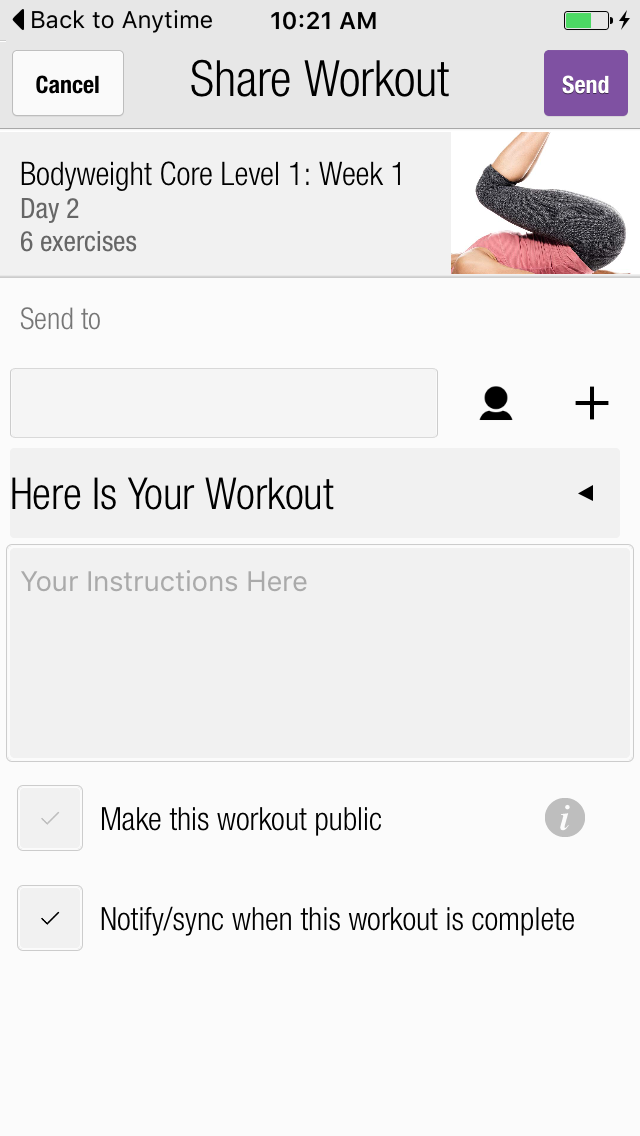
You can send workouts to others with their email, or select a contact from your device.
To share a workout:
Select the workout you want to share from either the Workouts screen or from your Home screen.
Tap the [...] icon in the top right to access the More screen.
Tap Share Workout.
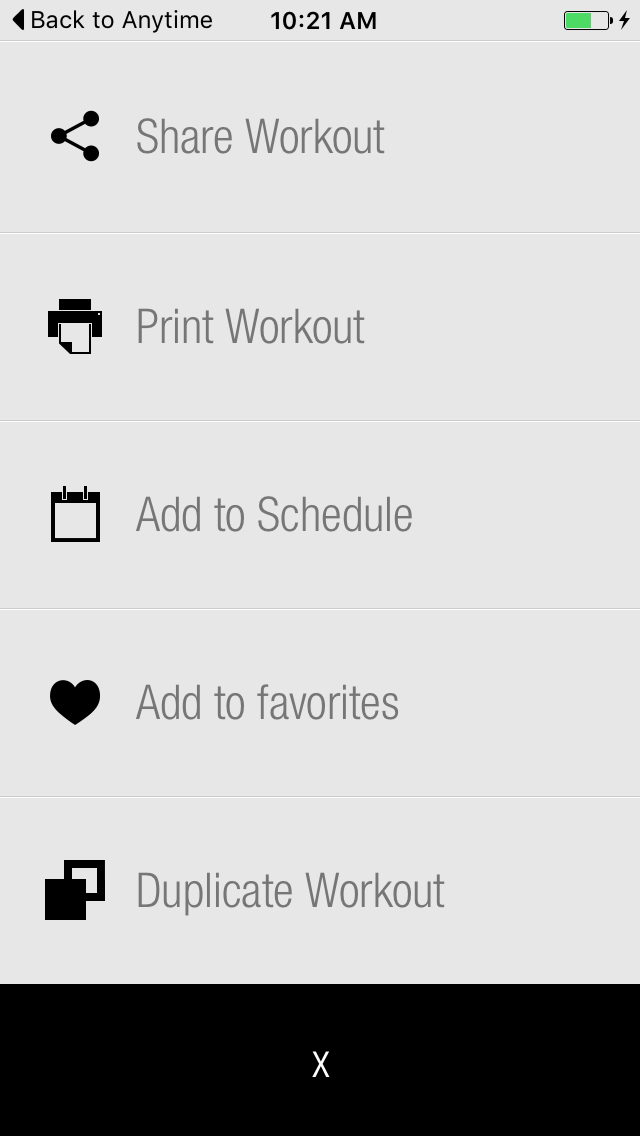
Enter an email address or choose someone from your contact list.
Enter the message you want the receiver to read.
No valid Data Center license found
Please go to Atlassian Marketplace to purchase or evaluate Refined Toolkit for Confluence Data Center.Please read this document to get more information about the newly released Data Center version.
Tap the  icon to share the workout with more than one person.

There are two options at the bottom of the Share Workout screen:
- Public - Workouts you share may be visible to the receiver's friends.
- Notify/Sync - Allows you to receive the log of a shared workout when someone performs it the first time.
Additional Resources
| Issue Date | May 7, 2019 |
| Revision Date | Nov 12, 2019 |
| Role Responsible |