How to Schedule a Workout Plan
You can schedule a Workout directly from the search screen.
Select Workouts from the side menu.
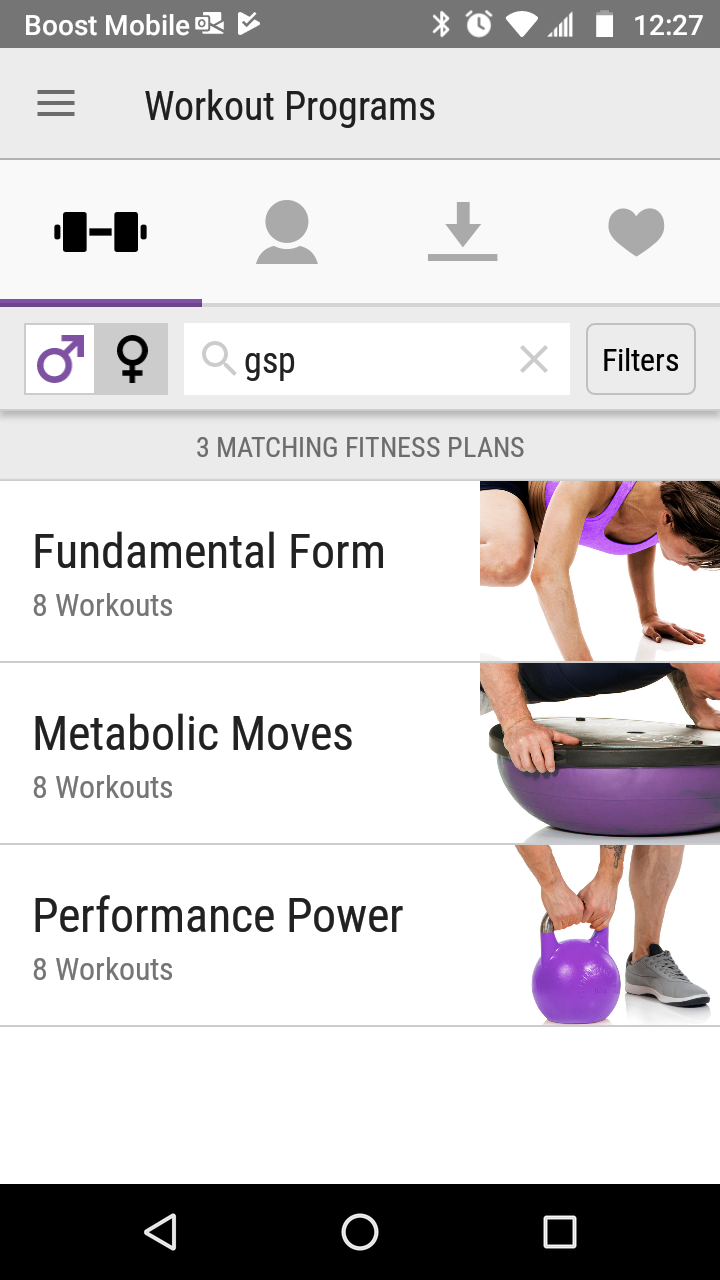
Search for a workout.
If you are just starting, we recommend the Getting Started Plans by searching for gsp.
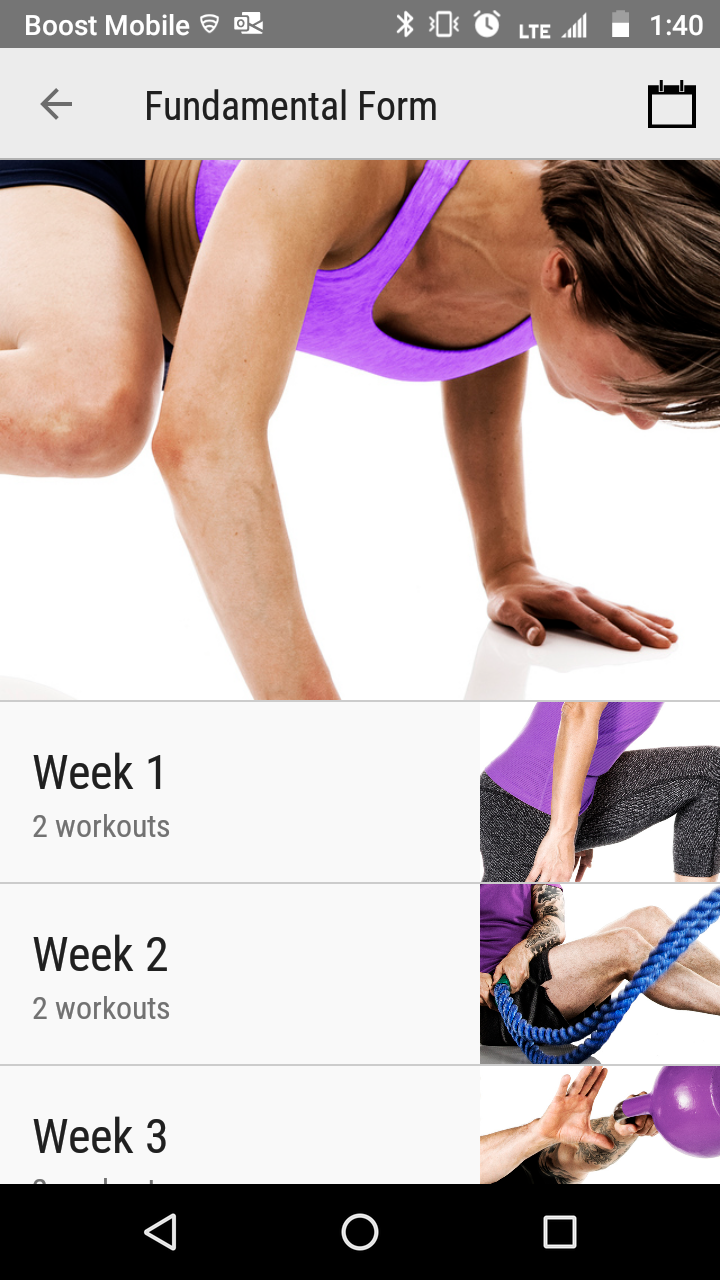
Tap the calendar icon in the top right corner.
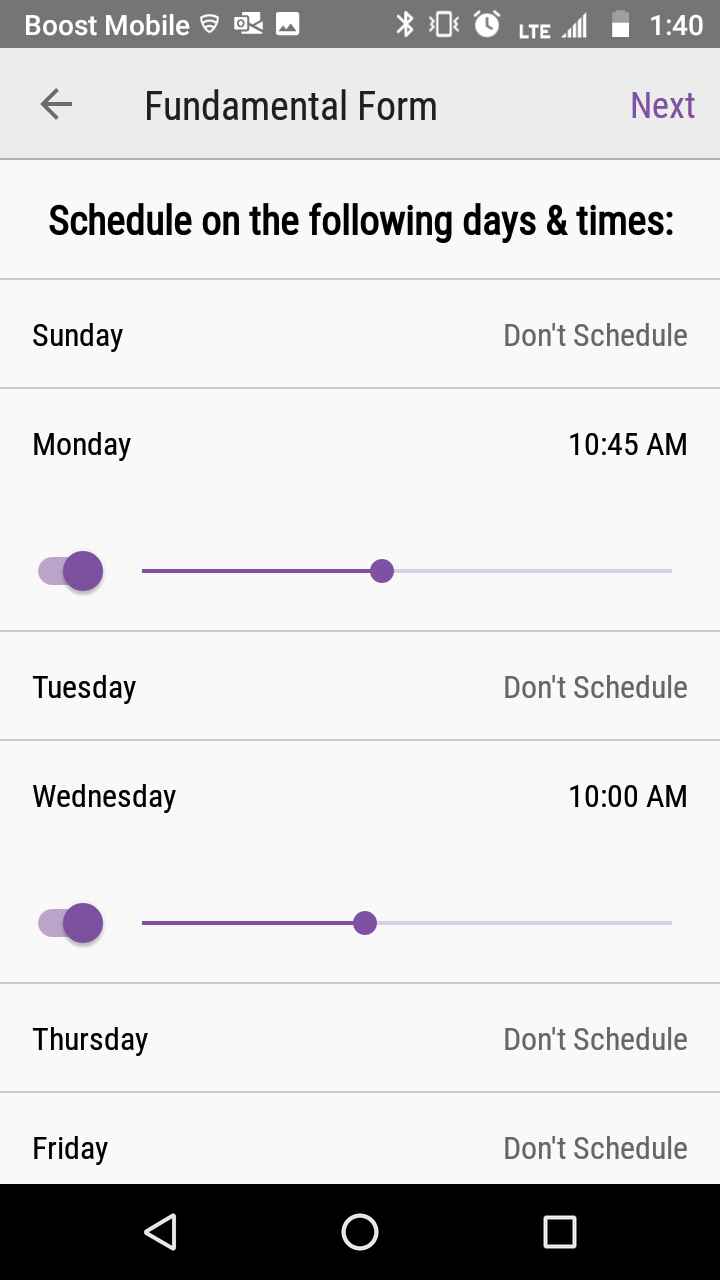
Select the days and times you want to schedule the workout.
Select the day you want to start the workout routine.
- The grey date is the current day.
- The purple with white text is the selected day.
- A purple circle with dark text is a scheduled day.
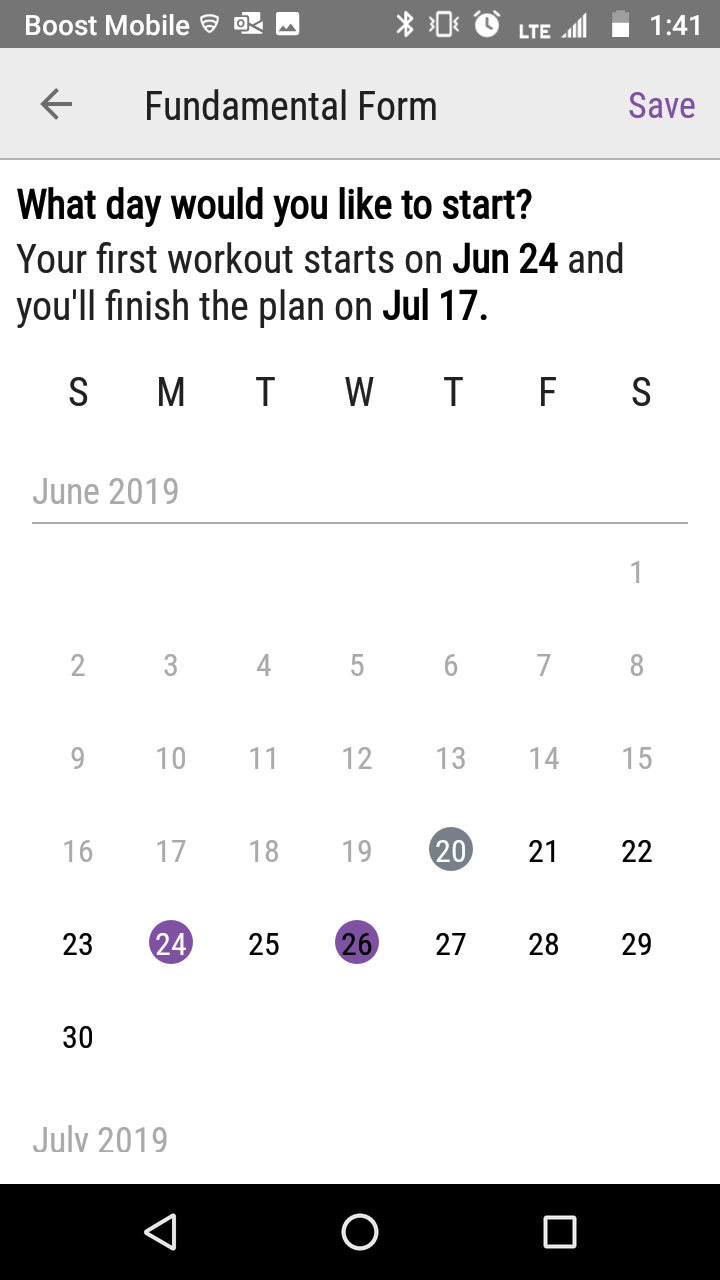
Tap Save in the top right corner.
No valid Data Center license found
Please go to Atlassian Marketplace to purchase or evaluate Refined Toolkit for Confluence Data Center.Please read this document to get more information about the newly released Data Center version.
Additional Resources
| Issue Date | Jun 20, 2019 |
| Revision Date | Nov 12, 2019 |
| Role Responsible |