Book Training
You can book training from the Home tab.
The sessions that display depend on what types of training sessions you have purchased.
You can view the next 13 days of available sessions.
To book a session:
Go to the Home tab.
Tap Book Training.
Choose the type of training.
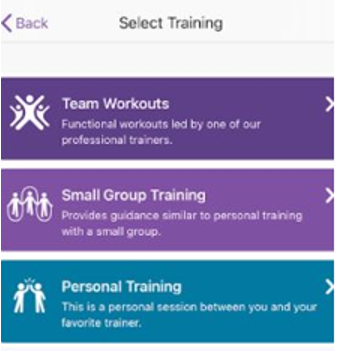
Choose the desired session.
Tap the Book button.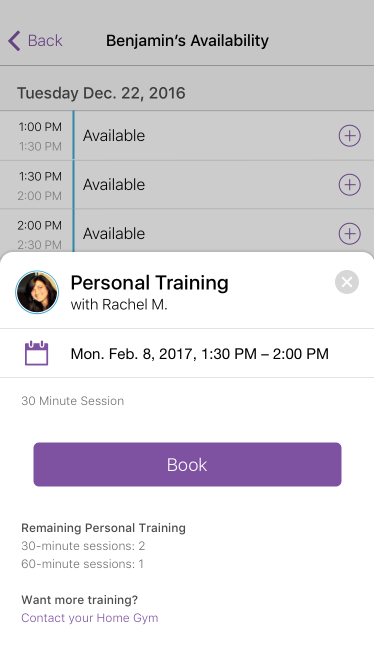
No valid Data Center license found
Please go to Atlassian Marketplace to purchase or evaluate Refined Toolkit for Confluence Data Center.Please read this document to get more information about the newly released Data Center version.
Training Sessions Remaining
The total amount of sessions from your training agreement displays here.
Each booked session lowers the displayed total.
If you have not purchased any sessions, you cannot book a training session.
Contact your club for more information about training sessions.
Cancel a Booked Session
Please contact your gym for information on their cancellation policy.
Locations may have different times set up. The default minimum cancellation time is 24 hours before the event.
To cancel a booked session:
Go to the Home tab.
Tap My Schedule.
Select the session you booked.
Tap the Cancel Appointment button.
No valid Data Center license found
Please go to Atlassian Marketplace to purchase or evaluate Refined Toolkit for Confluence Data Center.Please read this document to get more information about the newly released Data Center version.
| Issue Date | May 7, 2019 |
| Revision Date | Feb 4, 2021 |
| Role Responsible |